


When I want to keep some information or configuration out of a code base and don't want something fancy, I usually save it as Property List file (.plist).
Create a plist file
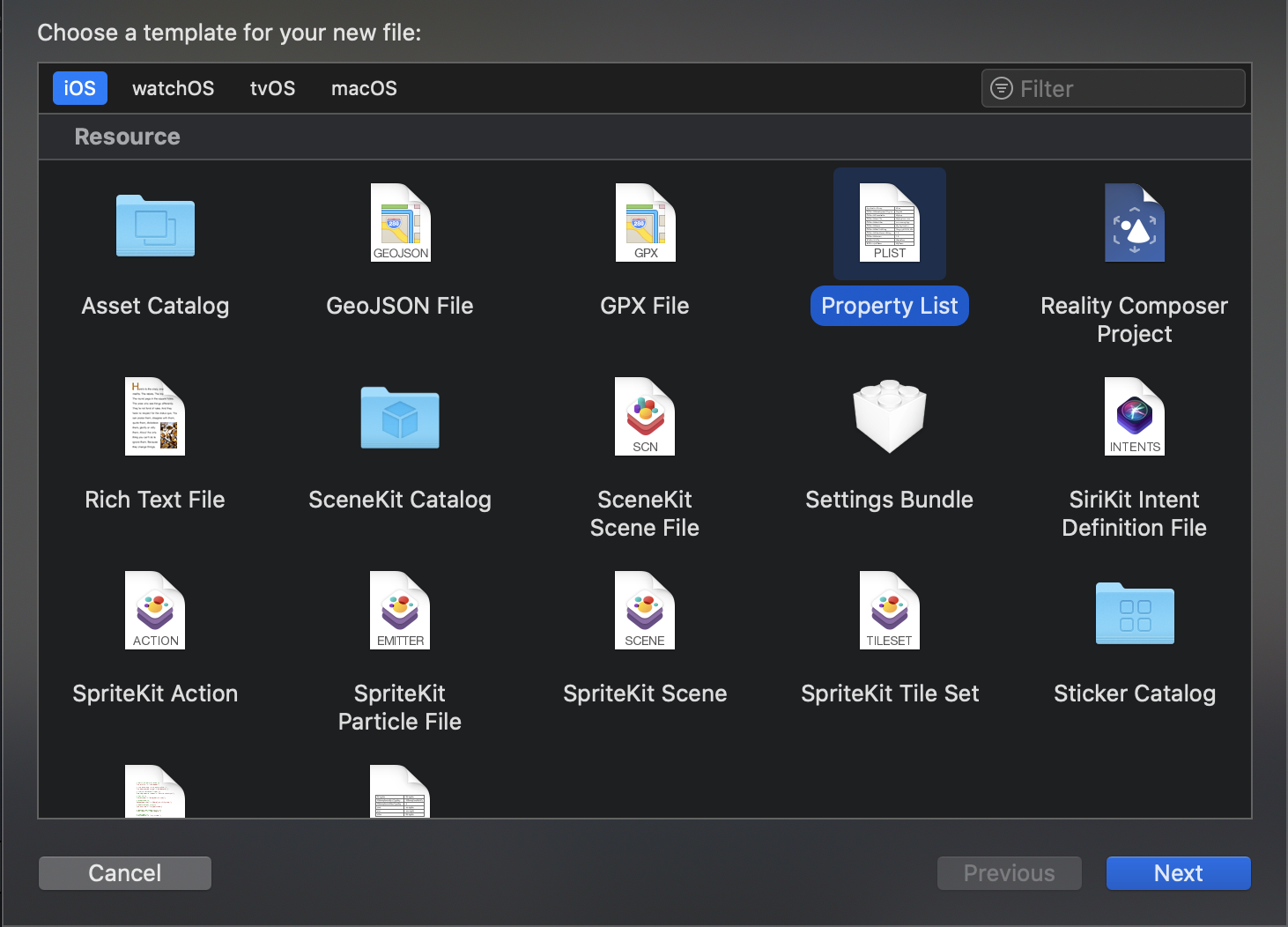
To create a plist file, it just as simple as creating a new class.
- Click menu File > New > File... (⌘ - CMD + N).)
- Under Resource section, select Property List
- That's it

Practical Sign in with Apple: Learn everything you need to know about Sign in with Apple to be able to integrate it in your existing app or a new one.
Read a plist file
There are two ways that I usually use to read it back (There is only one now since another one is deprecated, but I will leave it here for completeness).
NSDictionary and NSArray Deprecated
Dictionary
I use this since the Objective-C time. You can read it directly to NSDictionary.
var config: [String: Any]?
if let infoPlistPath = Bundle.main.path(forResource: "Config", ofType: "plist"),
   let dict = NSDictionary(contentsOfFile: infoPlistPath) as? [String: Any] {
    config = dict
}
Array
The root level of Property List can be either Array or Dictionary, so you can also read it to NSArray if your plist is an array.
var config: [Any]?
if let infoPlistPath = Bundle.main.path(forResource: "Config", ofType: "plist"),
   let arr = NSArray(contentsOfFile: infoPlistPath) as? [Any]
{
    config = arr
}
Too bad, the above solutions are deprecated. Both NSArray and NSDictionary initializer are deprecated in iOS 11.
PropertyListSerialization
Since iOS 4, with a help of .propertyList(from:options:format:) in PropertyListSerialization, we can deserialize plist into Dictionary and Array. It might a bit verbose, but it get the job done.
Dictionary
var config: [String: Any]?
if let infoPlistPath = Bundle.main.url(forResource: "Config", withExtension: "plist") {
    do {
        let infoPlistData = try Data(contentsOf: infoPlistPath)

        if let dict = try PropertyListSerialization.propertyList(from: infoPlistData, options: [], format: nil) as? [String: Any] {
            config = dict
        }
    } catch {
        print(error)
    }
}
Array
The only difference between getting array and dictionary here is just a matter of casting.
var config: [Any]?
if let infoPlistPath = Bundle.main.url(forResource: "Config", withExtension: "plist") {
    do {
        let infoPlistData = try Data(contentsOf: infoPlistPath)

        if let arr = try PropertyListSerialization.propertyList(from: infoPlistData, options: [], format: nil) as? [Any] {
            config = arr
        }
    } catch {
        print(error)
    }
}
These are a quick way of saving and reading data from a file.

